Customer Portal
A web portal for orders, deliveries and complaints
Business customers use this web portal to follow orders and deliveries, report complaints and take workplace safety exams. It's meant to show all of that together, documents included.
- Company
- SonoIT Ltd.
- My role
- UX research, product design, UX flows, A/B testing
- Platform
- Web (desktop)
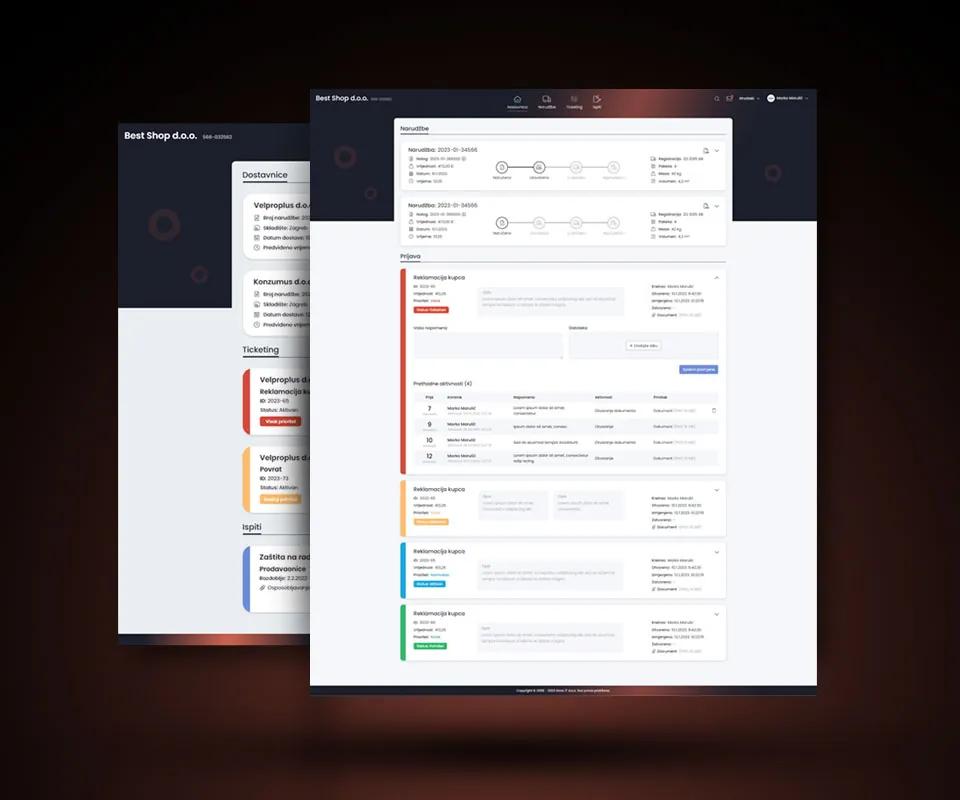
Overview
Customer Portal is SonoIT's web portal for business customers. Their company's name sits in the header, next to search, messages and the language switch.
Delivery notes, return tickets, customer documents and reports live here too. The home page combines orders, tickets and exams.
The challenge
An order comes with a lot of data, like reference numbers, value, date, vehicle, packages, weight, volume and the item list. Customers still need to see right away how far along it is.
The work
Four parts of the portal. The screens are in Croatian.
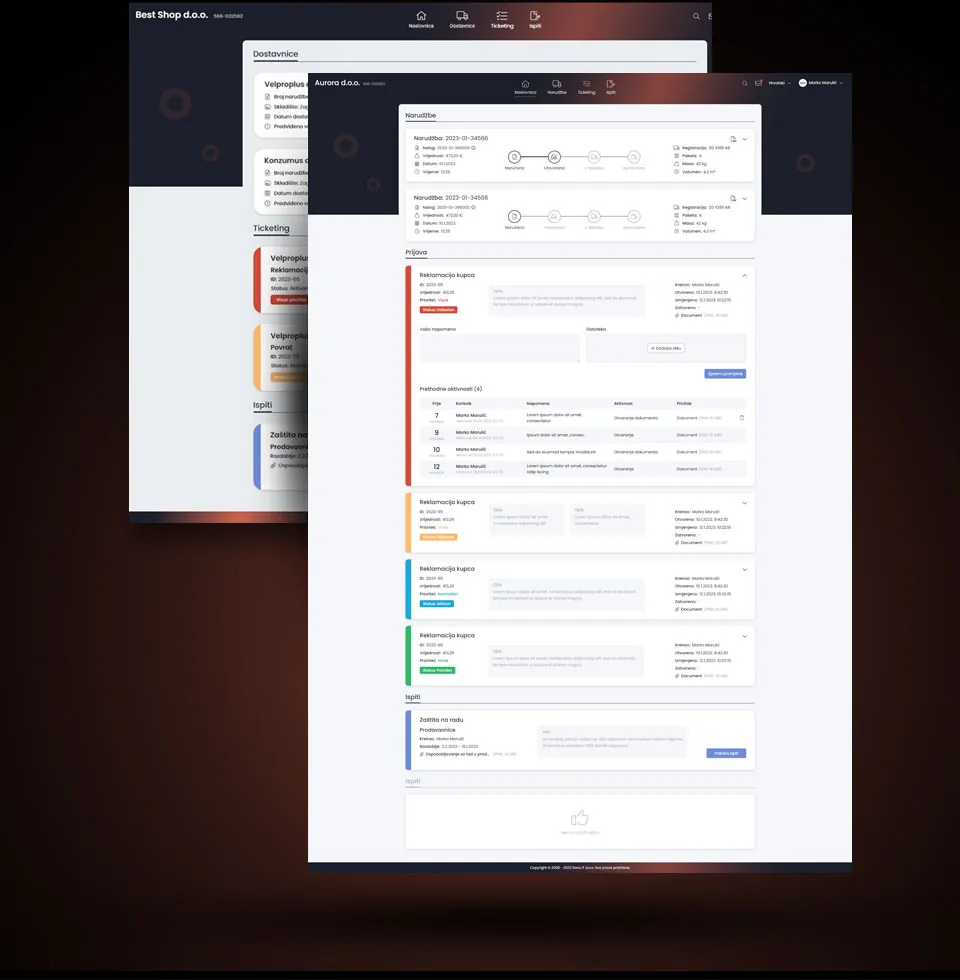
Complaints and safety exams
An open complaint has its priority, status, dates and attached file up top. Under that, the customer can write a note, upload images or look back at earlier activity.
The colored edge on each ticket matches its priority and status labels. Below the tickets is the safety exam card with the training material, the exam rules and a Start exam button. There's an empty state too, for when there are no new exams.
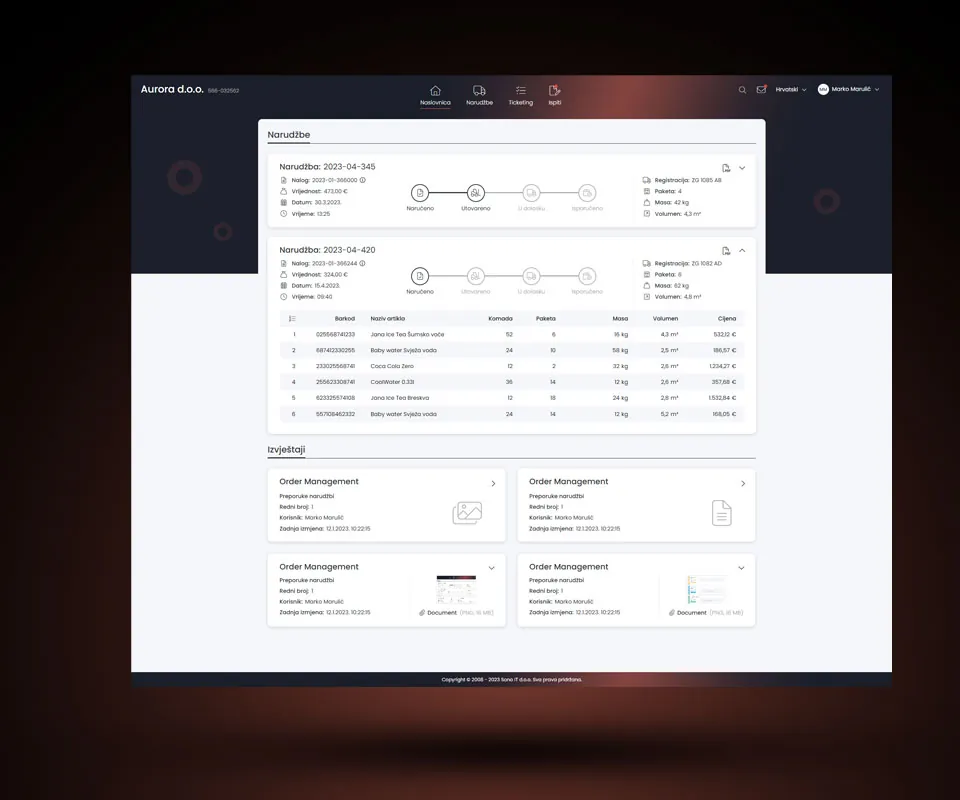
Orders and reports
Every order card has a four-step tracker in the middle. Ordered, loaded, on the way, delivered. Finished steps go dark and the rest stay gray. Order details sit to its left, shipment details to the right.
Expand an order and its items appear in a table with barcodes, quantities, weights and prices. The report cards below show who made the last change and when, along with a thumbnail of the attached file or a file-type icon.
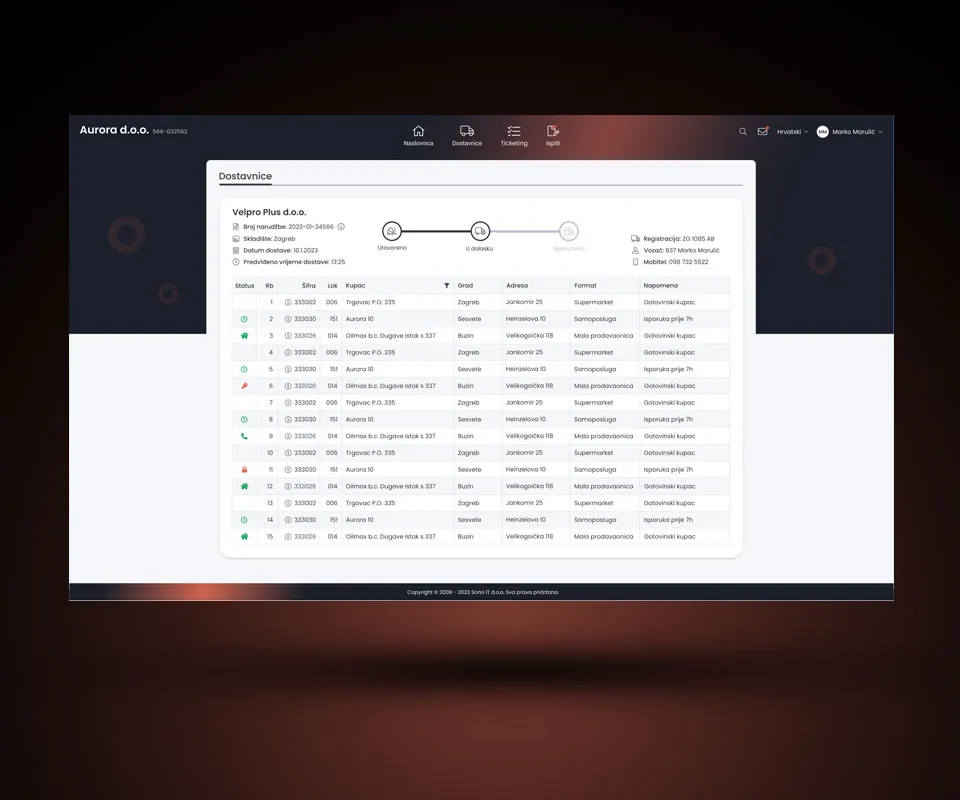
Delivery notes
Delivery notes reuse the order card, but the tracker has three steps and starts at loaded. On the left are the order number, warehouse, delivery date and expected time. The right side covers the vehicle and the driver, mobile number included.
Then there's the customer table, with codes, addresses, store formats and notes like "delivery before 7 am" or "cash customer". Status is marked with icons, and you can filter by customer.
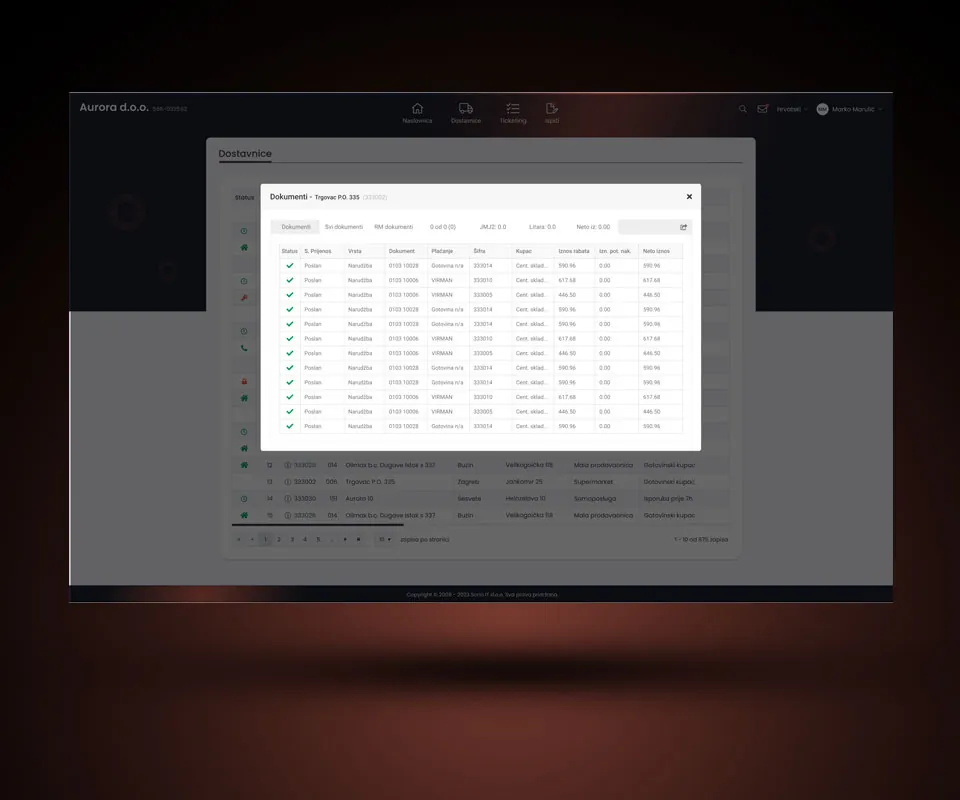
Customer documents
A customer's documents open in a modal over the delivery notes table, with tabs for documents, all documents and RM documents beside the totals.
Each row starts with a green check and the transfer status, then the document details and amounts.
Contact
Let’s work together.
If you liked what you saw, or just want to say hi, drop me a line.