Marketing Content Manager
A back office for campaigns, banners and approvals
My idea, my build, now in daily use at Energycom Ltd., a solar energy company in Croatia. Their campaign plan was an Excel sheet, the banners sat in shared folders and approvals went by email. In 2026 I designed and built the whole thing myself, with AI as my coding assistant.
- Company
- Energycom Ltd., Croatia
- My role
- Idea, product design and build, with AI as my coding assistant
- Platform
- Responsive web app
- Status
- Online, in daily use at Energycom
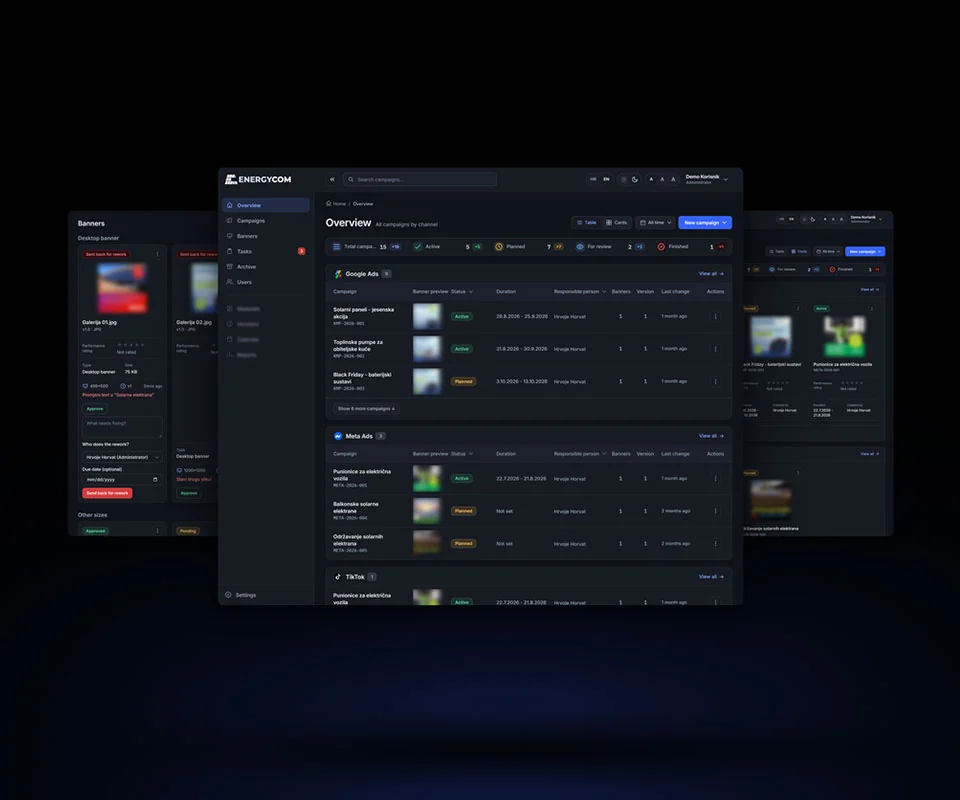
Overview
The Marketing Content Manager keeps campaigns, banners and approvals in one place. A campaign has a code, a status, dates, people and one or more channels. Each banner has versions, an approval state and a rating.
Five roles decide who can do what, from Administrator down to a read-only Viewer. The company's marketing team uses it.
The challenge
Marketing people are in this all day, and they need to see the banner, not a row of text about it. So the banner sits in every table row, uncropped, and the rest of the page stays quiet: muted surfaces, one accent color, a monospace face for codes and counters.
One campaign often runs on several channels at once. It used to be one row per channel, and the totals counted it twice. Now a campaign has a list of channels, ticked in a checkbox grid.
My role
This was my idea, and there was no one else on it. I did the product, the design, the build and the tests, with AI as my coding assistant: it wrote code from the rules I gave it, and I made the calls.
The work
Six screens, dark theme, desktop and phone, and the main flows. The banners in the screens are blurred, and some of the data is in Croatian.
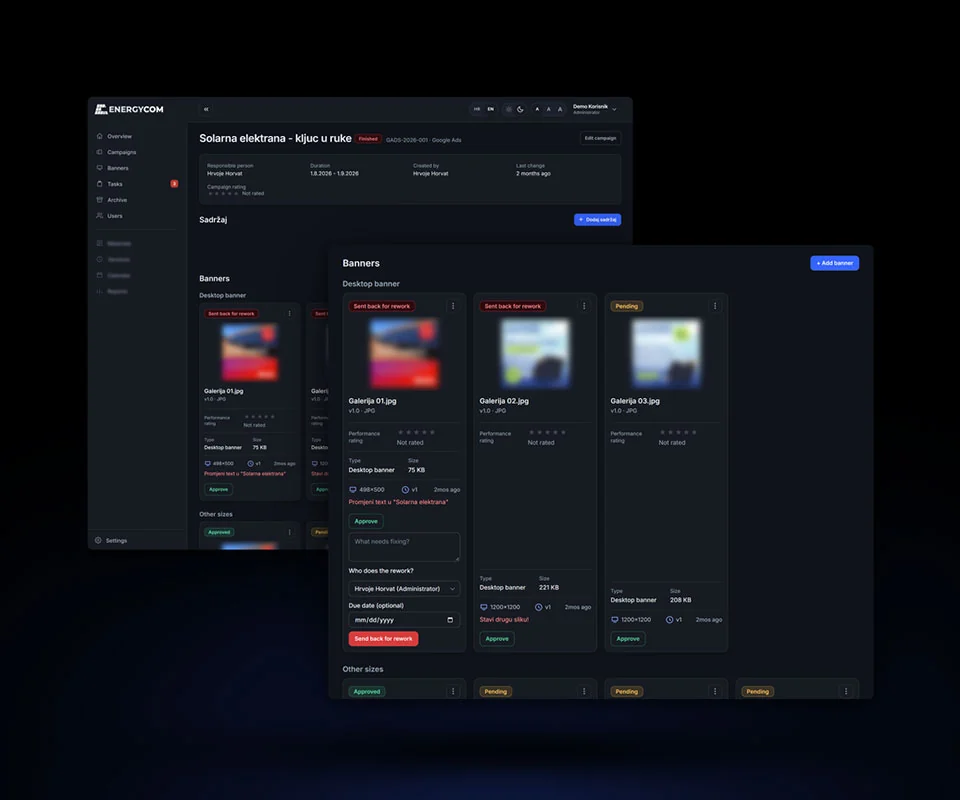
A campaign and its banners
Every banner is a card with its version, approval state and rating. A manager approves it or sends it back with a note, a person and a deadline. Restoring an old version makes a new one, so nothing gets overwritten.
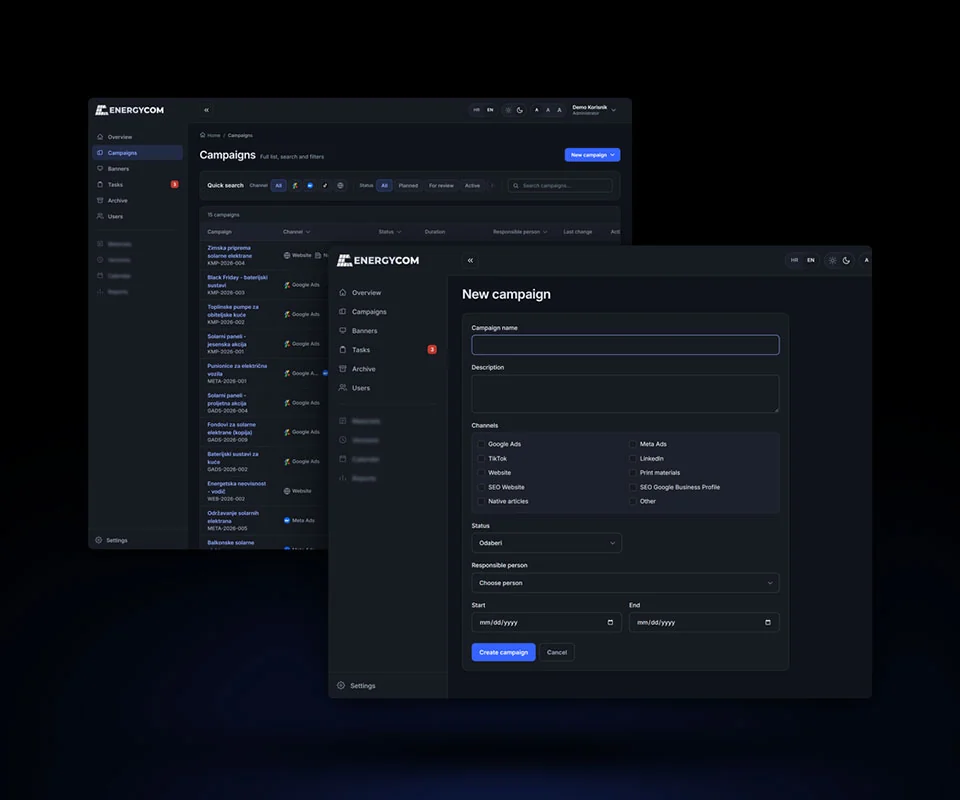
One campaign, several channels
The new-campaign form, with the channels as a checkbox grid. That many options don't fit a dropdown, and nobody should have to Ctrl-click.
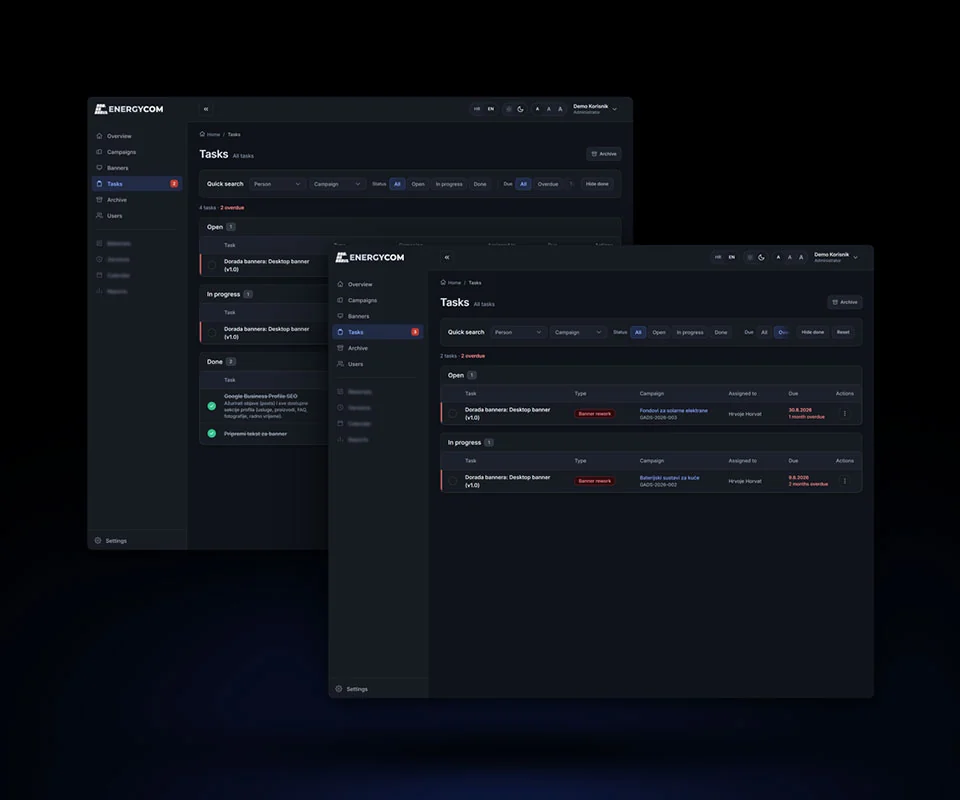
Tasks and rework
Tasks grouped by status, with filters for campaign and due date. When a reviewer sends a banner back, the app creates the rework task and assigns it.
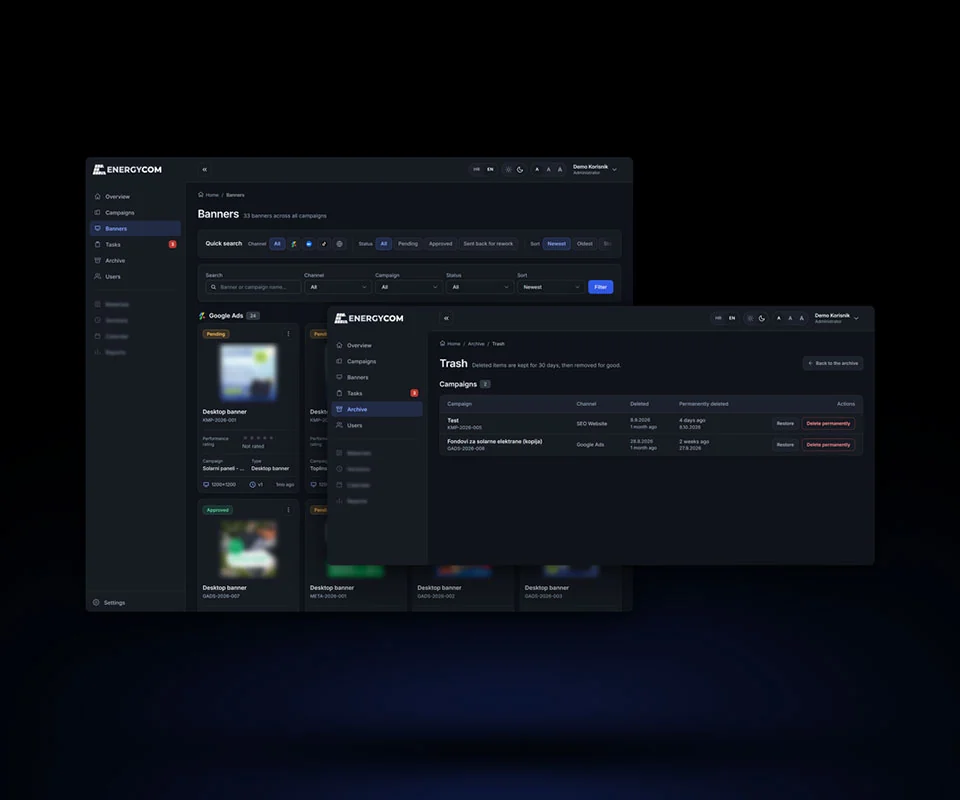
Archive first, then trash
Nothing goes into the archive unrated. Deleting takes two steps: archive, then 30 days in Trash, where it can still be restored.
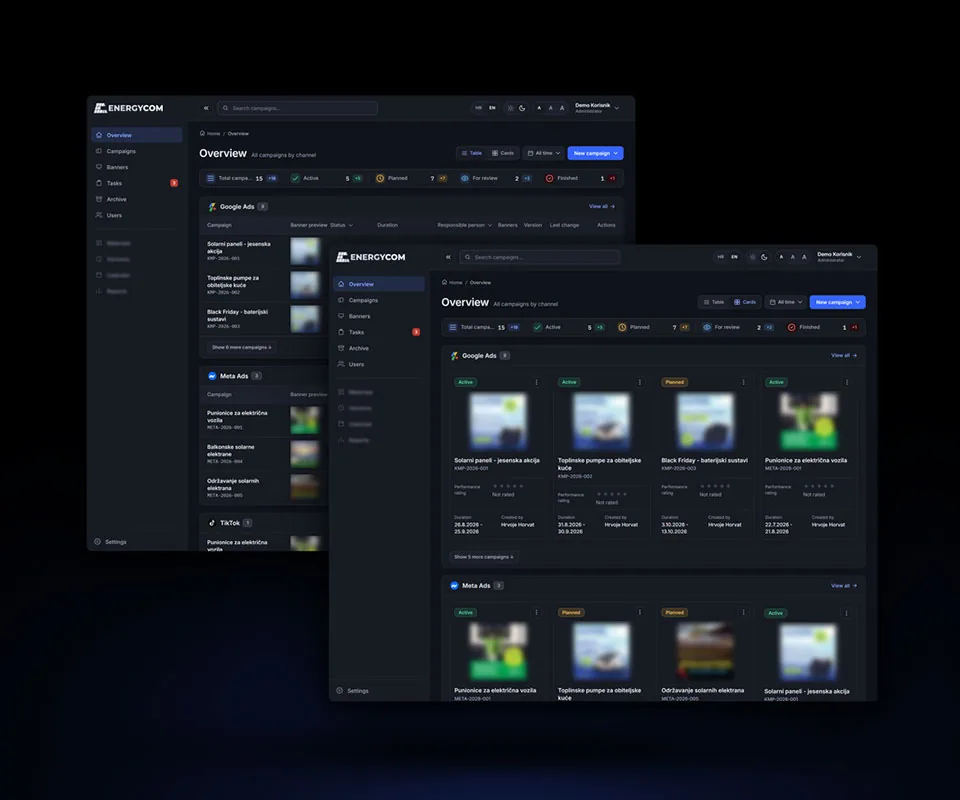
Table or cards
The same Overview two ways: a table when you scan the plan, cards when you want the banners bigger. Both run on the same tokens, so the light and dark themes are one set of values each, nothing patched by hand.
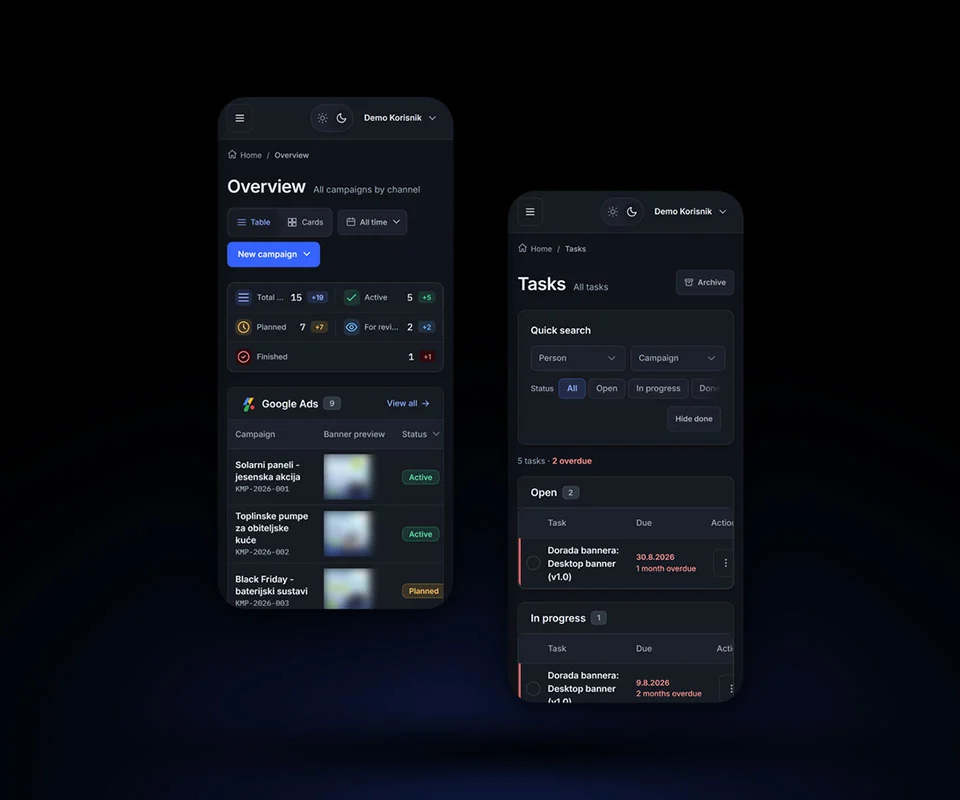
On a phone
Columns drop by priority as the screen narrows, and the banner keeps its width. A text-size switch makes the type bigger without breaking the layout.
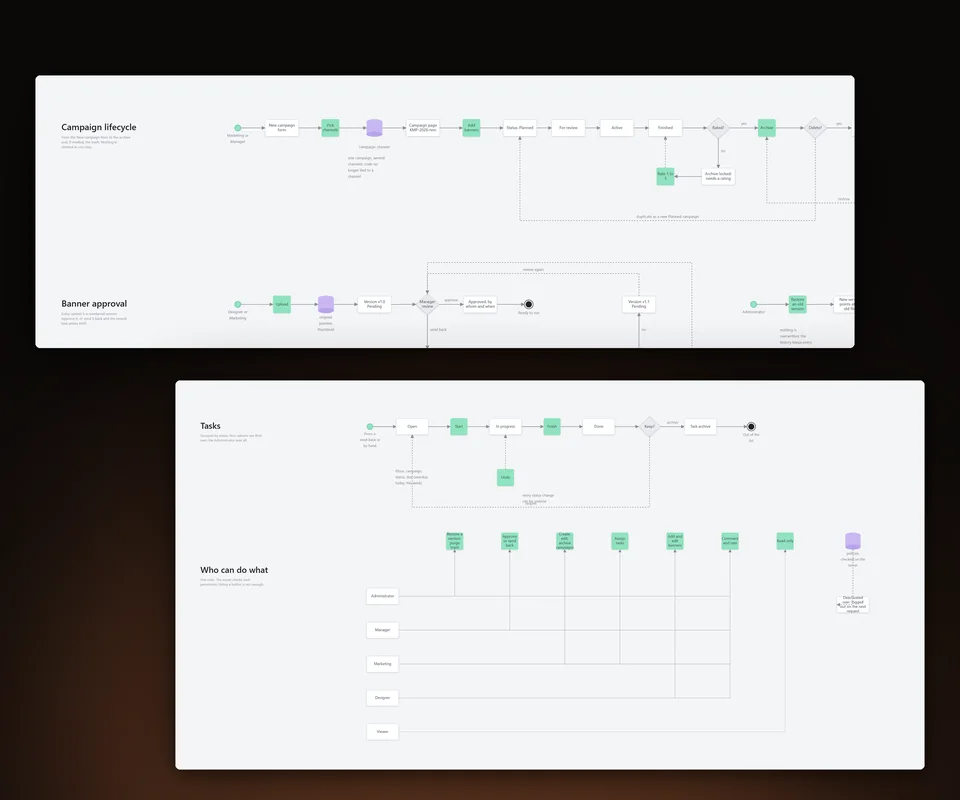
How it flows
The main flows, drawn from the app: a campaign's life from the form to the trash, a banner's path through review, tasks, and who may do what. Every state has a way out: an unrated campaign can't be archived, a deleted one waits 30 days in Trash, and a sent-back banner comes back as a new version.
Contact
Let’s work together.
If you liked what you saw, or just want to say hi, drop me a line.