Design System Architecture
An Atomic Design system in Figma, built up from tokens
I built this design system from scratch at Monotech Solutions and based it on Atomic Design. I wanted the team to be able to move fast and still stay consistent.
- Company
- Monotech Solutions Ltd.
- My role
- Product designer, design system lead
- Type
- Design system in Figma
Overview
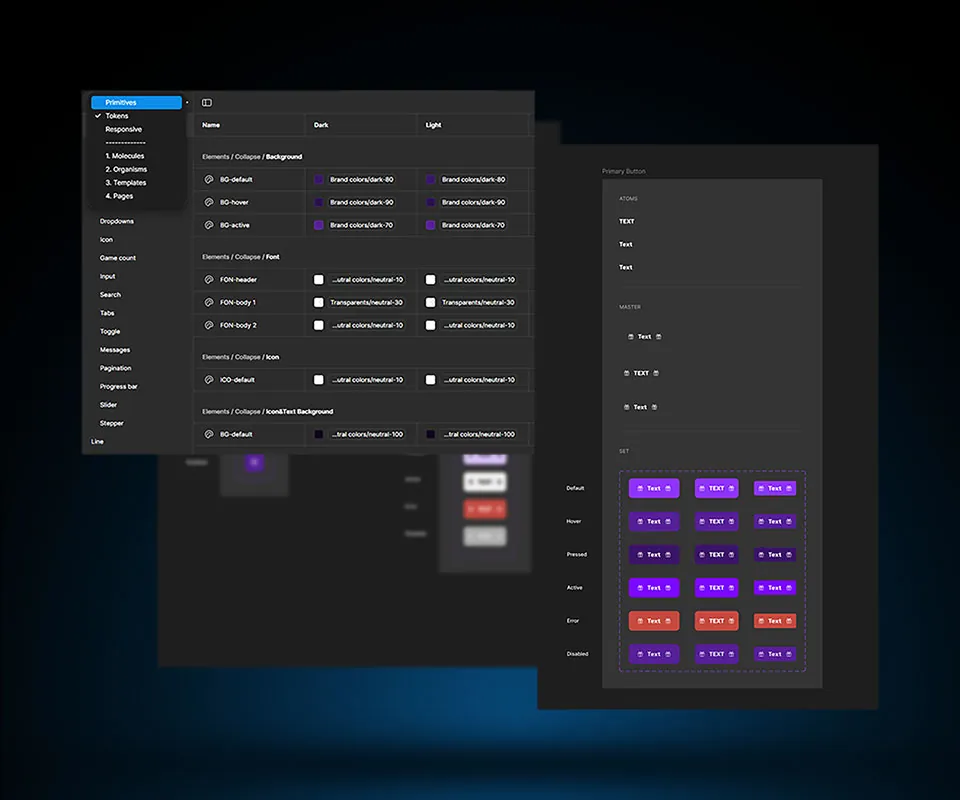
It's a Figma library of variables, text styles, components and icons, built on the five Atomic Design stages. The atoms are the component library, followed by molecules, organisms, templates and pages.
The variable collections follow the stages too. Primitives, Tokens and Responsive come first, then 1. Molecules, 2. Organisms, 3. Templates and 4. Pages.
The challenge
The product kept growing, and the system needed to stay organized while it did. To give you an idea, Buttons alone has 13 groups in the Tokens collection.
Every size also needs desktop, tablet and mobile values. Color tokens come in pairs, Dark and Light.
My role
I worked out the architecture, meaning how variables, styles and components are organized and named, and how they connect through the Atomic Design stages.
I also made a starter kit and ran workshops.
The work
Three views of the Figma file, variables first and icons last.
Color tokens and responsive sizes
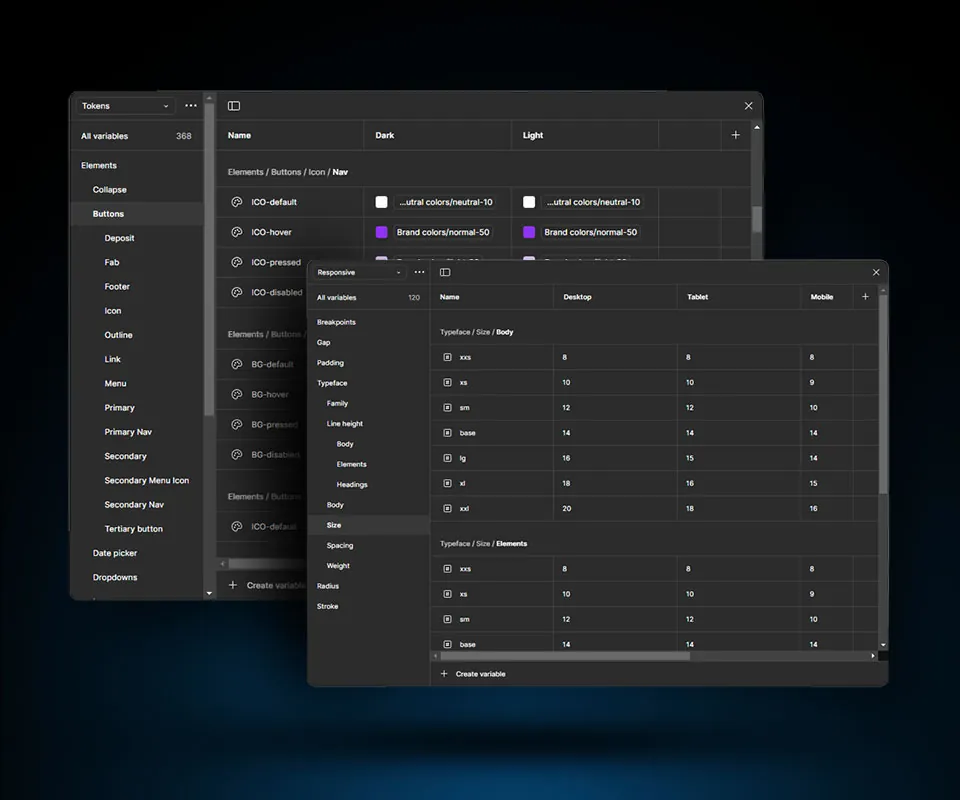
Tokens has 368 variables, grouped by element into paths like Elements / Buttons / Icon / Nav. Each name says the part and the state, so you get ICO-hover or BG-pressed. Values point to named colors like Brand colors/normal-50 instead of hex codes.
Responsive has 120 more, for breakpoints, gap, padding, type, radius and stroke. Body text steps down with the screen. The xxl size is 20 on desktop, 18 on tablet and 16 on mobile.
Text styles and the dropdown set
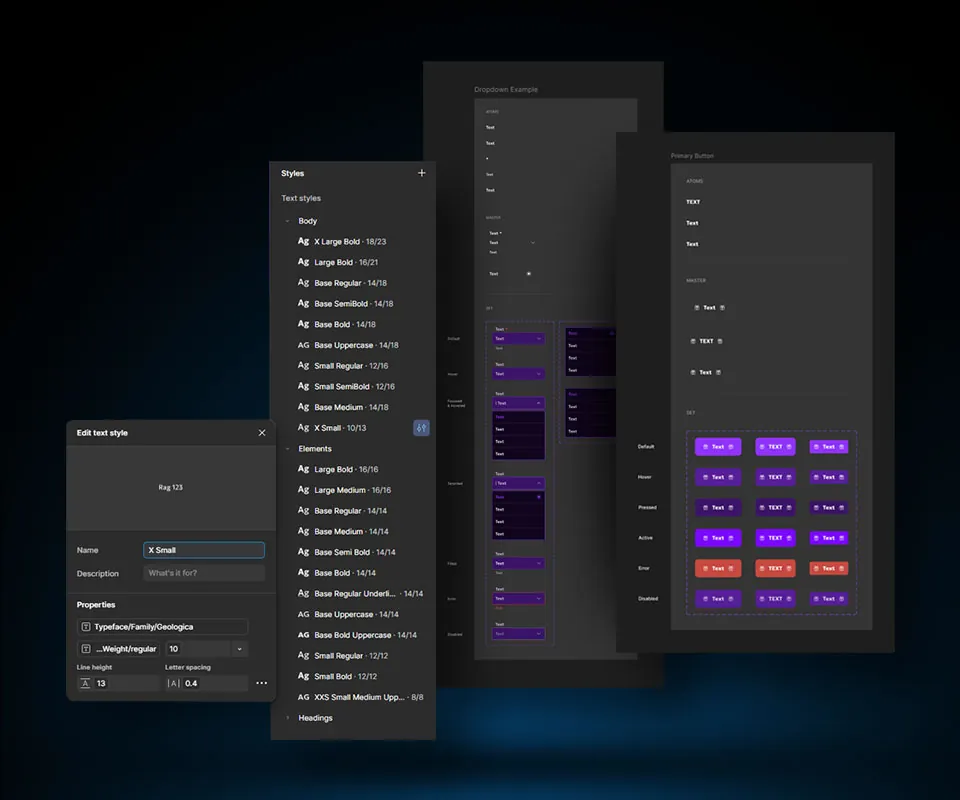
Text styles are split into Body, Elements and Headings, named by size and weight. In Elements the line height matches the size, so Base Regular is 14/18 in Body but 14/14 in Elements. Font family and weight come from variables. The font is Geologica.
The dropdown is built the same way as the button, with atoms, a master and a set of seven states. On error, the outline and helper text go red.
Type scale and icon library
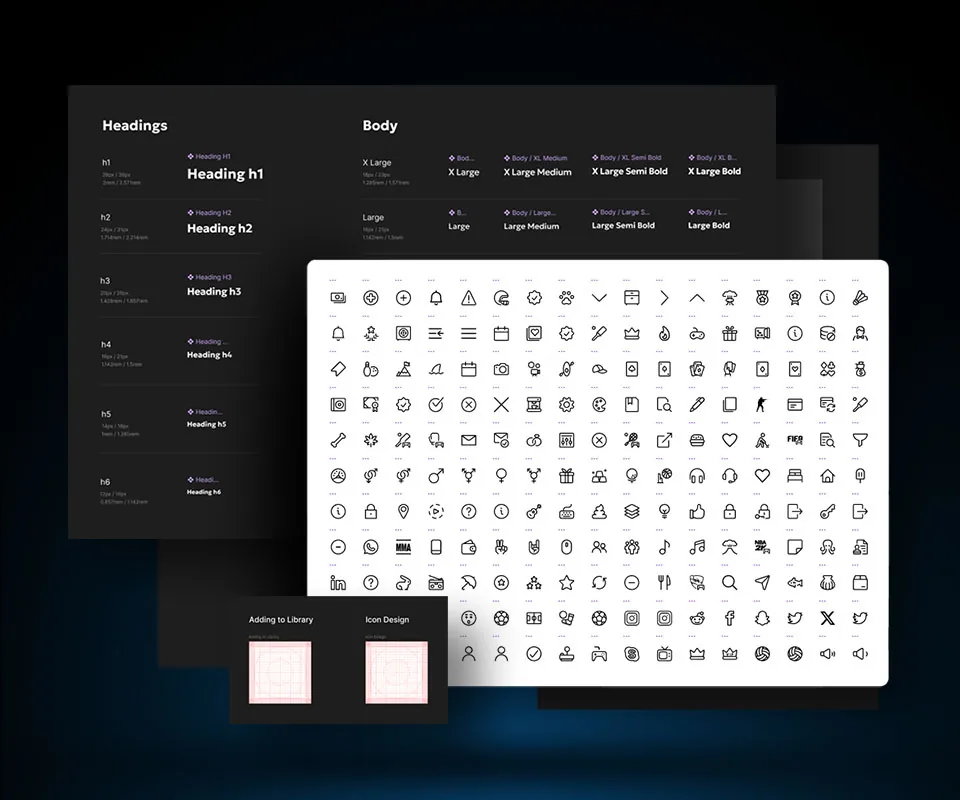
The type sheet covers h1 to h6 and the body sizes, in px and rem. Here 1rem is 14px.
The icons are all line icons, for interface basics as well as sports, games and social logos. The two frames underneath, Adding to Library and Icon Design, hold a keyline grid.
Contact
Let’s work together.
If you liked what you saw, or just want to say hi, drop me a line.